

HOUSE DUCK · AUTOMATIC TRANSLATION
Creating a Game Admin Page | Why I Built a Manager Console Before Even Having Users
To start with the conclusion,
I didn't build the game manager console
because I hated touching Supabase directly.
Even when doing vibe coding, some people like the terminal,
while others like desktop programs and GUIs.
I am definitely the latter.
For server operations too, rather than opening logs and tables one by one,
I wanted to view the necessary information on a processed screen.
If possible, even without opening my laptop,
I wanted to check the status on my phone and finish necessary operations.
I built the admin page before there were even any users.
Quirky Ball is still before its official launch.
Yet the House Duck Console already has
analytics, player, operations, purchase and refund, CS, and audit log menus.
The order might seem a bit unusual.
However, after launching the game and running into problems,
I thought making operational tools only at that point would be too late.
How long users played the game,
where they dropped off,
whether they came back the next day,
and whether ads appeared too frequently
were things I did not want to worry about for the first time only after launch.
Having already worked in the industry and
witnessed numerous trials and errors,
this was the conclusion I reached.
Since there is already an AI that can get everything done
as long as the requirements are clear, what is the problem?
Instead of the terminal, I wanted to make judgments from a single screen.
Supabase stores game data and
serves as the foundation connecting authentication and server functions.
However, database tables
are not screens where an operator gets immediate answers.
Looking up play time, completion rate, revisit rate, ad view rate,
and gem and stamina usage separately
is different from seeing "What is weird about this game right now?" at a glance.
So rather than ending up just laying out
raw data in a nice-looking way,
I tried to turn it into questions I would actually make decisions on.
If more players need to accumulate before making a judgment,
I display it as is without making up a plausible conclusion.
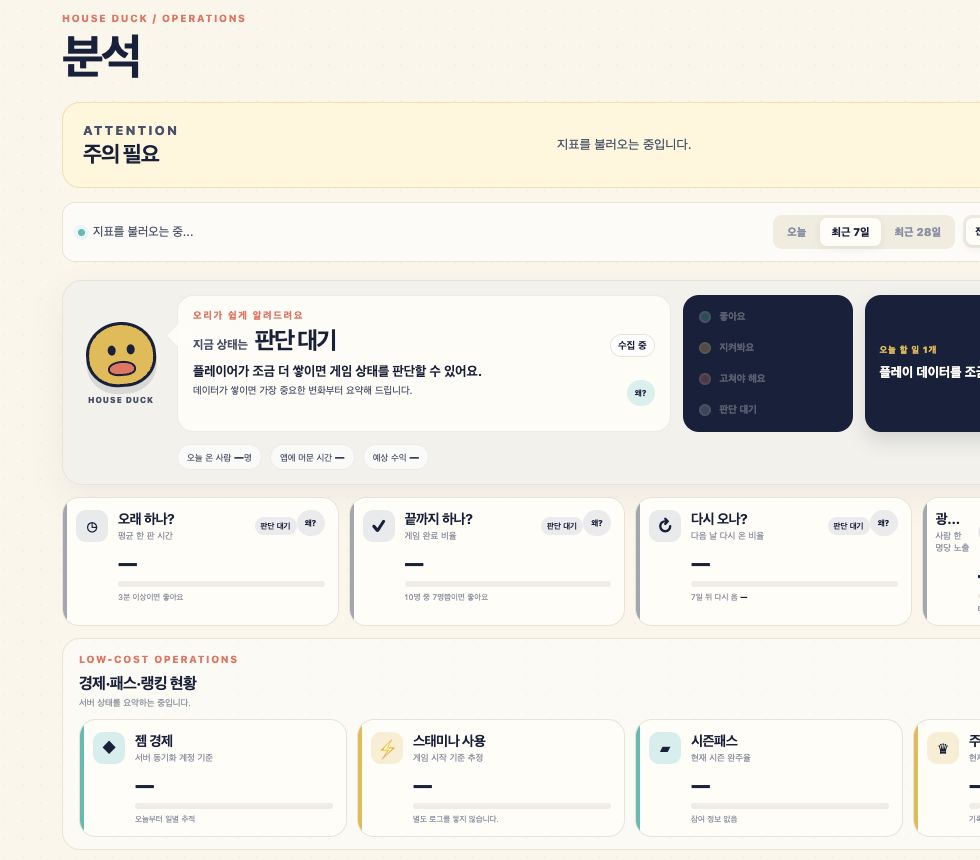
What I needed was not a pretty graph,
but a screen telling me what to fix first in the next update.
I wanted to spot unusual users in the analysis and handle them right away.
After checking the insights,
I didn't want to open Supabase or other tools again.
I searched for nicknames and display codes in the player list,
and checked the game count, highest score, currency, and recent play.
Abnormal scores are excluded or adjusted from the rankings,
and if necessary, I made it possible to grant or retrieve items
and send reward mails to specific users.
On the operations screen,
you can change the minimum supported version and notices,
and also send mass reward mails.
I included a workflow to view purchase and refund records,
and handle inquiries sent to support@houseduck.in
right from the same console.
The user sanctions I speak of
are not automated bans that block people with a single button.
It is closer to a method of checking actual logs
and selecting only necessary measures
like score exclusions or item retrievals.
Important changes require entering a reason and confirming once more,
and who changed what is left in the audit logs.
I did not want to operate only when in front of my laptop.
A 1 developer is both a developer and a QA,
as well as a planner and customer service.
You cannot always sit in front of a desk.
When bug reports come in from outside,
or when metrics look abnormal right after an update,
I wanted to check the status on my phone and execute limited operational functions.
Of course, this does not mean opening all dangerous functions on mobile.
Queries should be fast,
changes should be limited to necessities,
and irreversible tasks should go through confirmation and logging.
This is also why GUIs were good.
Even on a small screen, it was easy to distinguish
It was easy to distinguish which button changed the actual data.
Security was handled reliably.
The console is not a service exposed to the outside.
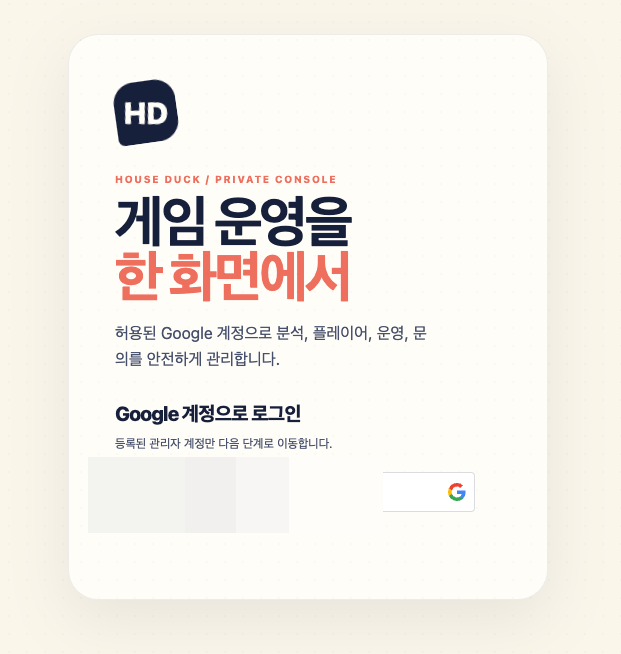
First, you log in with an authorized Google account,
and then it opens only after answering a personal question that only I can immediately recall.
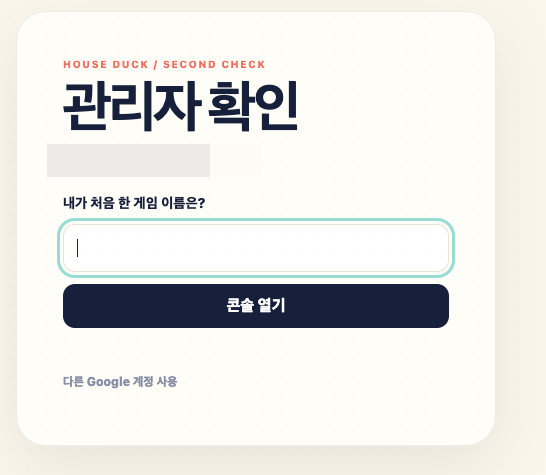
"What is the name of the first game I ever played?"
It is not a device created to look like massive security technology.
Actual permissions are rechecked on the server,
and this question is closer to a door that blocks accidental entry from another account or an open browser once more.
As I quickly expanded features through vibe coding,
I felt that these small boundaries became even more important.
Because it was vibe coding, a GUI was needed even more.
AI makes code quickly.
However, if I have to remember table names and commands every time,
and re-explain what values are needed for which task,
I would have to return to development mode every time I operate it.
The admin screen fixes that process into buttons and forms.
It checks in the sequence I intended,
accepts only designated inputs,
and asks one more time for dangerous tasks.
It is not meant to eliminate the terminal,
but rather to productize repetitive operations into a GUI.
It is not a completed admin yet.
Just because a feature was created did not mean it could be operated right away.
Buttons sometimes failed because server functions were missing,
and there were times when permission settings did not match actual operational data, so I had to fix them again.
The Project K menu is still close to a shell,
and areas that could not be automatically connected, such as store refund notifications, remain.
Since it is before the official launch, there are many cards with insufficient data.
Still, if I build it from now on,
I can avoid scrambling to figure out what to check after the first user enters.
House Duck Console is not a fancy-looking dashboard.
It is closer to my own operational desktop program created to see the status of the game at a glance,
and carefully handle only necessary tasks anytime and anywhere.
none